.the ramblings of a radman.

Category: iPhone/iPad (Page 7 of 12)

In some way related to the iPhone and/or the iPad, the greatest handhelds on the planet.

Liam’s 1-Year Photo Shoot

This past weekend, we took the boys to the park and took lots of photos for Liam’s 1-year birthday. While most of the pictures were of Liam, Avery was in several, as well. I decided that while we were taking pictures, I could get some video with my new iPhone 4 to show you all how gorgeous the video is. I’ve embedded it below. It should work on your computer or your iPhone, though you’ll definitely want to be on fast WiFi, as the file is pretty large.

Liam’s 1-Year Photo Shoot in HD

I wasn’t able to edit it in iMovie for iPhone because I couldn’t figure out how to trim a clip without dragging the end point to the desired location. On a 1-2 minute clip, this wouldn’t be a problem, but one of my clips was 10 minutes long and was quite a hassle. If I can figure out how to do more with iMovie for iPhone or just shoot smaller clips next time, I will definitely post something edited entirely on my iPhone.

As for my new iPhone 4, I’ve actually got a story to tell about the experience of getting it. I just haven’t found the time to sit down and write it yet. Perhaps this weekend, I’ll sneak away for a bit to get it written. It’s already been a week, so it’s past time to share with you.

On why Nintendo need not (yet) be afraid of Apple

I’ve been seeing a lot of Apple fans rabidly proclaiming the iPhone the ultimate mobile gaming machine and the death-knell for Nintendo’s and Sony’s portable platforms. However, as lifelong gamer and the owner of 3 generations of Nintendo’s portable hardware and 4 separate devices in that family, I can say that Nintendo is not going anywhere anytime soon. Let me tell you why:

  1. Nintendo makes their own games – Until such time as Apple starts making games of their own (and Texas Hold’em doesn’t count) and competes directly with Nintendo’s offering, these two behemoths aren’t even in the same ballpark. Sure, they both make handheld devices, and both of those devices seem to be primarily used for gaming in today’s market, but Nintendo also makes great games of their own that Apple just can’t compete with.
  2. Nintendo serves up “fuller” games – Building off the first statement, it’s important to note that Nintendo both makes and distributes games that appeal to a different market than those that are available on Apple’s iDevices. While there is some overlap (with games like FINAL FANTASY and the like being ported to the App Store), developers for Apple’s devices tend to focus more on bite-sized games than large-scale epic, 40-hour sagas. Nintendo themselves has been making Mario and Zelda games for so long that they barely have to try anymore to create compelling games that gamers will play for days on end. Third parties on Nintendo’s devices also tend to create games that will take 20 hours or more to complete the first time through. Apple’s developers rarely craft games of that caliber. They may be fun, but they’re certainly not that grand.
  3. Nintendo has Mario and Zelda – Until such time as Nintendo decides to stop being both a hardware and a software company, Mario and Zelda are Nintendo exclusives. And that alone is enough to keep the gaming giant in business. While the franchises may decline for a time once Shigeru Miyamoto retires, the massive numbers of gamers familiar with these characters will keep the company going for many years. Further, Shiggy has already passed the torch in the Zelda series to Eiji Aonuma and he has done rather well with it. Talent exists, and passion for these franchises has grown immensely throughout the years. Someone will continue to make great games for Nintendo until the lights go dark.
  4. Touch-screen only controls limit the gaming experience – Nintendo popularized touch-screen controls with the release of the original DS in 2004. Apple utilized touch-screen technology to make the world’s most advanced and easy-to-use smartphone in history. But gaming was not at the top of their list of priorities. Nintendo knew that only using the touchscreen would cause control of some games to be erratic while limiting what could be done to interact with your characters on the screen. Until such time as Apple allows for controllers to be attached to iDevices, I don’t see developers successfully developing “large-scale” games as mentioned above for Apple’s devices.

All that said, Nintendo cannot sit still and wait for Apple to rectify the deficits that the iDevices have in terms of being a complete portable game system. It certainly seems like they are moving forward with the new 3DS. However, they are going to have to certainly change up some aspects of their business plan to maintain control.

I suggest that they start by allowing 8-bit and 16-bit games on the Wii to be copied to the DS family of devices so they can be played portably. Syncing wirelessly between the two would be easy and would really increase the desire to have both systems.

You hear that, Nintendo? That one’s free.

Stanza updated; Kindle doesn’t suck?

So yesterday, Stanza for iPhone received a rather significant update, which was rather surprising to me. I say it’s surprising, because Amazon (the makers of the Kindle and the Kindle DX and formerly a rather large competitor to the Stanza application) purchased Lexcycle, the makers of Stanza, back in April of this year. Since that time, Stanza has seen no major update and it was unknown if Amazon would even be supporting the application any further, instead focusing their efforts on improving the Kindle app for the iPhone.

Well, yesterday we got our answer. In its first major update since its inception, Stanza has been completely overhauled. After spending a little time with it, I was able to determine that nothing appears to be broken so far, and the app shows the same great features and attention to detail as it always has, with some slick new interface designs.

But that wasn’t enough for me, as I decided yesterday to add the Kindle app back to my iPhone to see what had changed since I had last used it. Turns out, quite a lot. For example, my biggest complaint in the early builds of Kindle for iPhone was that you had to slide your finger across the screen to turn the page, which could be rather frustrating in long-term usage. I was happy to see that was no longer necessary. A simple tap on the left or right of the screen turns the page, just like in Stanza. I even found a large number of free books to sync to my device so that I can test out the app in the future and see if it will work as one of my top 3 methods for reading books (the other two methods being Stanza and good, old-fashioned paper bound and held in my hands).

I will say this, however. One feature the Kindle app has that really beats out Stanza, is the ability to store any books that you buy online and resync them at any time. While I have a large collection of books available to Stanza thanks to Calibre and the Stanza app for the Mac, should something happen to the data on my computer, I would lose them all. Not so with Amazon and the Kindle store. Perhaps one day they will integrate the two apps into one and I can store books from other ebook stores online and sync to the Kindle/Stanza super-hybrid.

It’s worth wishing for.

IMDb finally releases an iPhone app

When the iPhone was first released, I quickly bookmarked a specially-designed web app for Mobile Safari that allowed me to access IMDb content quickly and clearly. Unfortunately, as time progressed, I grew tired of the various glitches and missing information that cropped up in the site from time to time.

So when I discovered that an official app was released today, I was overjoyed. I am rather consistently checking IMDb from my iPhone, so I knew that as long as they didn’t frak up their own application, I would make a special place for it on my Home screen.

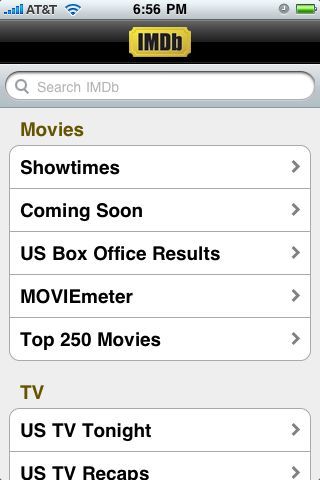
The first thing that I noticed when I loaded up the app was that they have included more than just the simple movie database in their app. While the search box is at the top of the screen, they’ve made it possible to browse movie showtimes, check box office results and much, much more.

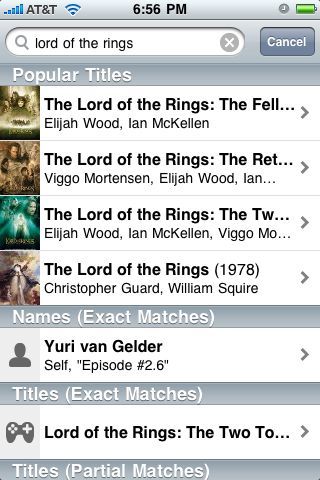
Searching for a movie (or show, video game, person, etc.) is simple: just type something into the search field and get the same results you’d find on the IMDb website. Tap on the result you’d like to view and you’re taken to the same info you’d find on the website, but formatted specifically for the iPhone.

As you can see from the image above, IMDb has ensured that all of the information you’re used to finding is easily accessible. Just scroll downward and you can see the top-billed cast members, trivia, quotes, and all the other info you’d expect.

Here’s a sample screenshot of the trivia section.

Lastly, here’s an example of what it looks like to check showtimes for a movie. The only drawback that I could see is that there’s no links to online ticketing solutions from within the app. However, after clicking on the theater that you’d like to visit, the app does provide you with a phone number for ticketing by phone.

All-in-all, I really love the app and hope that it will gain additional features as time goes by, although online-ticketing is the only one I really want at the moment. Suffice to say, I will be moving this app to a prominent position on my Home screen as soon as I can decide which app no longer makes the cut. Grab the app here.

Thanksgiving weekend iPhone app sales

Several iPhone developers have chosen to have sales this weekend, in the spirit of Black Friday, and Thanksgiving. Some of these sales are pretty nice.

For example, Electronic Arts has slashed prices on a number of their products to 60% or even 50% of their original price. One such game is Wolfenstein RPG, which I picked up immediately, as I’ve been waiting for it to go on sale. While Wolfenstein is famous for being a first-person shooter, it translates really well into an RPG. It doesn’t feel turn-based at all until you enter combat, at which point the enemies just don’t shoot at you until you’ve either moved, fired a weapon, or done some other action. There are puzzles and experience points and all the things that make RPGs great, as well as some great moments of humor (for example, there are chickens everywhere that you can kill in a variety of ways to turn into chicken dinners for health).

In fact, all of id Software’s titles are on sale this weekend, so if you’ve been interested in DOOM Resurrection (an on-rails shooter that’s been very well received) or Wolfenstein Classic (the classic PC game from the early 90s, perfectly recreated for play on the iPhone and iPod Touch), now is the perfect time to pick them up.

In fact, most EA iPhone titles are available (around 30 of them) at the discounted price, so if there are any you’ve been eyeing, but were waiting for a discount, now is the time to check them out.

The other title that I was really excited to find out is on sale this weekend, is Hero of Sparta by Gameloft. When iPhone OS 2.0 first came out, the company Digital Legends Entertainment released Kroll, a beautiful-3D brawler that had some of the most amazing graphics seen on a portable device, but fairly low on gameplay techniques and replay value. Hero of Sparta took it a step further by marrying those beautiful graphics that the iPhone was capable of to a more solid control scheme with more action and a lot more gameplay value. If you are a fan of hack-and-slash action games, then Hero of Sparta is a good choice for you.

Keep your eyes peeled for better deals out there, because if there was ever a good time to find great deals on iPhone software, this weekend is likely to be it.

An Open Letter to MumboJumbo Games

I read an article recently that told the story behind StoneLoops! of Jurassica and its removal from the iTunes App Store. In the article, it was mentioned that the factor that initiated the removal of Stone Loops was MumboJumbo sending Apple a letter requesting it be removed.

When I discovered this, I was rather upset, as I have long been a fan of this particular genre in general, and StoneLoops! was as great a game as I had ever played. While I have played Luxor 2 on the Xbox 360, I was very impressed with StoneLoops!’s touchscreen implementation. I would have been interested in trying out Luxor on the iPhone, but sadly that day will never come.

Due to the decision by MumboJumbo to use bullying tactics instead of actually trying to improve your product, I will henceforth no longer support MumboJumbo in any way. This means I will stop purchasing games published by you, and I will begin actively speaking against purchasing your products to friends and family. In the future, I hope that you decide to do the right thing rather than simply using your name recognition to remove your competition from the markets in which you compete.

As for your allegations that the developers of StoneLoops! were somehow copying your work, I point out to you that you did not create this genre and have not attempted to use this same bullying tactic against your other competitors (including Stone!Loops!’s other iterations on various platforms).

I hope that this message reaches you as an example of just one of many disgruntled fans of StoneLoops! that could have been fans of Luxor and other MumboJumbo games, but will now instead choose to seek out alternatives rather than supporting a company that uses “the protection of intellectual property” as an excuse to avoid improving upon existing work to compete.

∞∞∞∞∞∞∞

I have not included any links to MumboJumbo’s website or its games on the iTunes Store due to my decision to boycott them and encouragement of you to do the same. You can, however, contact MumboJumbo by email here. My heart goes out to the developers of StoneLoops! of Jurassica. If you would like to show your support for them, or for indie development in general, you can purchase StoneLoops! for platforms other than the iPhone from their website. For more information about why I am posting this open letter, please visit the AppAdvice article that brought the issue to my attention, and the developer’s blog.

WhatsApp, doc?

Just the other day, I told you all about an iPhone app I was using in place of SMS called Ping! Well, it’s only been a couple of days, but true-to-form, I’ve already found an excellent competitor and possible replacement for Ping! called WhatsApp Messenger. WhatsApp works in the same method as Ping!, meaning that you don’t have to create an account, you don’t have to worry about the server logging you out after a period of inactivity (the way IM apps do), and you still get push notifications. The big difference between WhatsApp and Ping! is that Ping! requires you to create a unique Ping! ID and then share that with others that want to contact you. WhatsApp makes it way easier.

First, you put in the your phone number when you open the app. This makes it so anyone that knows your phone number can find you on WhatsApp. But it gets easier. You can then connect your WhatsApp identity with Facebook. Once you’ve done that, everyone that you know that also connects with Facebook automatically pops up in your Favorites list, so you can quickly and easily see which of your friends and family are ready to be messaged. You can still send messages to other people that have WhatsApp even if they’re not your Facebook friends (or if they don’t connect to Facebook themselves, but still use WhatsApp).

Honestly, the only thing missing from this app is the ability to send messages to people without the app over SMS. How awesome would it be if you sent a message to a friend that doesn’t have this app, they receive it via text, and you have a conversation. But, a week later, they get the app themselves. The next time you send them a message, since their iPhone number is now in the WhatsApp database, it could send the message to WhatsApp via push notification, saving the new WhatsApp user from using a text message. This would be an amazing way for the service to reach everyone you care about.

The one other drawback to WhatsApp is that it doesn’t work on the iPod Touch, whereas Ping! does. I can only hope that is an oversight that will be remedied soon, as WhatsApp has a much nicer interface, an excellent feature set, and great (in-app) sounds. I definitely recommend giving it a shot.

Surviving the Zombocalypse

In the eventual Zombocalypse a lot of our tools will be less useful in defense of ourselves and those we care about. It is commonly known that our more advanced technologies will be laid low in a manner of hours as the infestation results in overuse of, then damage or destruction to our cellular networks and landline communication tools. As a result, it is very important to have a few necessities to increase your chances of survival and of forming a Zombie Resistance.

First and foremost, get yourself a shortwave radio. One-way is fine, but two-way is the best. This allows you to find out how widespread the destruction is across the globe, and allows you to continue to remain in communication with other survivors as long as you and they can find a way to keep the radios powered. Keep solar batteries and other methods of generating electricity safe and secure so that you can continue to power your radio and any other electric devices you may need.

Secondly, stock up on canned goods and foods that have a high shelf life. Until the cause of the infestation is known, it is unsafe to grow your own food, though it will eventually be a necessity. I highly recommend storing enough safe food and clean water to last a planting season. Test the food on surviving wild animals that are known to be capable of “zombifying”. Be certain to keep dead zombies as far from your fields as possible to avoid potential contamination.

Lastly, stockpile weapons that are useful in both ranged and melee combat. Ammo will grow more and more scarce unless you have the knowledge and resources to make your own, or know of a stockpile that is unlikely to run out in a reasonable amount of time.

While the power grid and communication lines may be down for the count, your iPhone and iPod Touch may still come in handy thanks to these useful apps that can operate without network access.

Zombie Survival Sheet – This is a very simple app designed to share with others just what you’ll be bringing to the Zombocalypse. Fill in the various fields with text and images and then take a screenshot to save your Zombocalypse Survival Plan for sharing.

Illustrated Zombie Survival Guide – This is an excellent survival guide in app form that talks about different kinds of zombies, effective combat skills, survival strategies, and even contains an exam to test your understanding of the knowledge presented within.

Zombie Survival Guide – This is an alternate guide that provides much the same info as above, but does not have a quiz. However, it does let you use your iPhone or iPod Touch as a disguise by holding it up to your face and activating “Blend in Mode”.

Stanza – Stock up on important zombie-related reading materials, such as The Zombie Survival Guide and World War Z. Both will come in handy during the Zombocalypse, as long as you have the time to read them before becoming zombie food.

So keep these things in mind as we head into the Halloween season where a Zombocalypse may go unnoticed for longer than usual, giving the undead a distinct advantage. And if you happen to become a zombie, then you should check out Cerebrii, an app that tells you everything you need to know about the human brain (including, I believe, which parts are most delicious).

My iPhone Home Screen — San

The third page of my iPhone home screen is devoted entirely to games, and is the absolute most dynamic page on my iPhone. In fact, before I started writing this post, I changed this page two or three times in an attempt to get the best selection from my existing apps and the new ones I’d recently downloaded.

[IMAGE APPEARS TO HAVE GONE MISSING, SO USE YOUR IMAGINATION]

As always, from top-left to bottom-right (I’m skipping the Dock because if you don’t know what those four are, you’ve been living under a rock:

  • 7 Cities – I love tower defense. The first game I remember picking up for my iPhone when iPhone OS 2.0 hit was TapDefense. So it’s to be expected that some form of tower defense will be on my iPhone at any given time. The problem is that I am a perfectionist when it comes to tower defense and will often stop playing a game in frustration because I let only one enemy through my defenses. Nevertheless, 7 Cities is one of the most unique tower defense games I’ve ever played, as it has set paths for the enemies to travel but doesn’t use a square grid system for placing towers, but rather a hexagonal grid, allowing some fairly unique methods of tower placement. I highly recommend you look into this game if you are a fan of tower defense, even if just for the opportunity to fire at a sea monster as it heads toward the town you must protect.
  • Civilization Revolution – I have never been a big fan of Civilization, mostly because I prefer real-time strategy games on the computer. However, it is a perfect fit for the iPhone with a lot of customizable gameplay based on which particular civilization you choose to play as and whether you aim for a diplomatic or conquering gameplay style. I was pleasantly surprised by how polished this game turned out to be.
  • Dr. Awesome – I haven’t really been a big fan of games released by ngmoco. In fact, aside from MazeFinger and Topple (both of which have been free for quite some time), I was not interested in any of their games. When they announced the full launch of the Plus+ network and released Dr. Awesome and Topple 2 for free, I was initially frustrated, as Topple 2 was completely unplayable on my iPhone. But thankfully, Dr. Awesome played great, and was a lot of fun. If you’ve ever played Qix, you already know how to play this game. If you haven’t, then I weep for you. I fully recommend getting this while it’s currently free.
  • Elven Chronicles – This is a classically-designed RPG with excellent controls (something that can be difficult to accomplish with a Japanese-styled RPG on a touch-screen device). While not as robust or as beautiful as some other RPGs on the iPhone, it’s still an excellent game and a lot of fun.
  • Minigore – The iPhone has no shortage of dual-stick shooters, so it takes something special to stand out. Minigore has gorgeous graphics and the promise of periodic updates to add new features. With OpenFeint integration for high scores and achievements, it has several advantages over the competition.
  • Pocket God – More of a toy than a game, Pocket God is sort of like an ant farm. Only in this ant farm, you get to torture the ants without all those pesky moral dilemmas. This is an excellent time waster when you only have a few minutes to kill.
  • Pocket Tanks – The best artillery game on Mac and PC for years is now the best artillery game on the iPhone, as well. Unlike most artillery games, Pocket Tanks includes 105 different offensive and defensive weapons to use against the computer or your friends.
  • Reign of Swords – Turn-based strategies lend themselves very well to the iPhone, and Reign of Swords stands out above many. With a rather extensive campaign, a large number of units, an extensive upgrade system for making more powerful units from lesser ones, and Internet multiplayer, it will keep you busy for quite a while.
  • Reign of Swords: Episode 2 – More of the same above. If you like one, you’ll like the other. This one is currently not on the App Store, due to a pending update. I will update the link once it’s back.
  • Rogue Touch – Rogue is the first top-down adventure game ever created. It used ASCII characters to represent the game world, character, items, and monsters. It has seen two releases on the iTunes App Store and this is the better of the two, though it is not free like the other one.
  • The Creeps! – This is the cutest tower defense game I’ve ever played. It centers around the premise that monsters are coming out of some sort of door to a nightmare world and are approaching your bed. You must build towers to destroy them before they reach you. Unlike other tower defense titles, The Creeps! has various decorative objects in the level that you can destroy for money and that also get in the way of building new towers in effective locations until destroyed.
  • Underworlds – This is a remarkable Diablo clone. If you tried out this game in its early releases, you’ll be pleased to hear that the controls have been fine-tuned quite a bit. The developers also recently added an entirely new episode free of charge to the game if you’ve already finished the initial story.
  • UniWar – I think I recommend this game more than any other game I have, mostly because it frequently goes on sale and has an excellent multiplayer component. If you like real-time strategy games, it’s a pretty great buy. The developers also frequently fine-tune the gameplay to make it more balanced.
  • Vanguard Storm – Final Fantasy transfers well to the iPhone as long as the games are not traditional JRPGs. In this unique take on defensive simulations. It’s a very strategic title with familiar characters and a nerve-wracking time-limit that really pushes you.
  • Warfare Incorporated – This game plays very much like Command & Conquer, which is a good thing. An update was released yesterday which added online multiplayer, that actually works fairly well over 3G (though I haven’t tested it over EDGE). If you’re interested in picking this game up, let me know, because I’d love to play with you.
  • Words With Friends – Fake Scrabble. For iPhone. With online play. Tell your friends.

Thanks for stopping by. Now go buy some new iPhone games. There are plenty to choose from.

My iPhone Home Screen — Ni

Okay, so page one was so long in the description section, I felt it was only fair to break this up into multiples. But the good news is that it gave me an idea. I will probably do 3 or 4 of these, as I am enjoying explaining to people why I choose particular apps over others. Plus, it lets you see which apps I’ve mentioned before on here but perhaps am no longer using for one reason or another (usually because I found a better app or found I wasn’t using it as much as I had hoped).

Once again, from top-left to bottom-right (excluding the Dock. Duh.):

  • App Store – Seriously, if you don’t know what this one is, then how in the world are you going to get all of those pretty icons onto your iPhone/iPod Touch?
  • AppBox Pro – All hail the King of all Swiss Army Apps! This thing does a little bit of everything: battery life estimator, flashlight, currency and unit converter, loan and tip calculator, random number generator, translator, ruler, clinometer, and web app portal. This single app gave me back more iPhone home screen real estate than any other. I highly recommend picking it up.
  • Transmission – This is a web app that is built-in to the Transmission BitTorrent client application. It’s incredibly cool, as it is essentially a web-based interface for managing downloads and adding new torrents to the download queue. Just turn the feature on in the preferences, make a note of your IP address (or use a dynamic DNS service), and connect using Safari on the iPhone. After saving the app to your home screen, the next time you tap on the icon, it will load the app in a separate instance of Safari with no address bar, giving the illusion of a native iPhone app.
  • Glyphboard – This is another web app that masquerades as a native app once installed to the home screen. It provides you with a number of unique characters that can all be copied and pasted into other apps (like Twitter, Mail, Safari, etc.) so that you can use unique characters not available on the iPhone virtual keyboards.
  • 1Password – I love the desktop version of this app and was very excited when an iPhone version was released that synchronized all of my passwords, wallet info, and secure notes. With the impending release of 1Password 3 and its ability to synchronize software licenses, this app is a must-have for any on-the-go techie.
  • Stanza – This app has been collecting dust of late, due to the large volume of fall television shows I have taken it upon myself to view so you don’t have to. But it’s still the best ebook reader on the iPhone and certainly in the top three readers across all devices. Download calibre for Mac or PC to organize and sync your ebooks from your computer to your device.
  • Dictionary.com – I have used quite a few different dictionary apps on my iPhone since they became available, but was always frustrated in the beginning by their dependency on network access to get their information. I can just use Google as a dictionary if I have network access. Thankfully, the team over at Dictionary.com love me and made an app that I can download and use even in Airplane Mode or on an iPod Touch in the middle of nowhere.
  • Read It Later – You can thank Echofon for turning me on to this handy little tool. Whenever I encountered a link in a tweet that I wanted to check out later, I used to save the tweet as a favorite. Unfortunately, favorites aren’t exactly private and I’d always forget to go check them out anyway. But by installing this app, not only can I use Echofon to add a link to my Read It Later list (tap-and-hold the URI), and not only can I read the saved links from my iPhone, but I am reminded every time I scroll past that page that I need to check out those items the next time I’m at a computer. Plus, once I’ve read it, I can check it off my list and pretend it was never there.
  • TV Forecast – I have been using this app ever since it was a web app. You simply add the TV shows you watch to a list and when you load the app, it tells you when the next episode airs. Unfortunately, with the web app, if you ever removed your cookies, you had to rebuild your list from scratch. Thankfully, the native app only loses your list if you have to completely restore your iPhone. Plus, it has added features like seeing when your TV show last aired, in case you don’t know if you missed an episode or not.
  • i.TV – This app and I have had a love-hate relationship since its initial release. I have used both i.TV and What’s On? to get my television listings and while I usually prefer to use What’s On?, i.TV supports Netflix queue management. This app is on my list of apps to one day remove entirely (or at least, delegate to the back page), as there are other Netflix queue management apps and I don’t watch live TV, so I have very little use for TV listings.
  • Now Playing – Another app that may one day find itself on another page, this one is also capable of Netflix queue management, but is primarily designed for giving you movie listings. It’s a great app for that, and for buying tickets if your theater supports ticket sales through Fandango.
  • Shazam – I don’t keep up with new music the way that I used to, and I rarely listen to the radio. But when I do, I often hear a song that I like and will probably want to buy on iTunes one day. The problem is that I don’t listen to the radio enough to know what the name of the song is. Enter Shazam. Record 10 seconds of the song and Shazam tells you who it is. I used to use Midomi, but found that it just wasn’t as effective as Shazam.
  • Wikiamo – I love Wikipedia. It’s my go-to source for anything I just want to understand better. Wikiamo is a perfect example of an app that replaced another app I was fond of recommending. If you’re a fan of wikis in general, then I also recommend WikiSnail. While it doesn’t make page two (due to its rather simplified interface and feature-set), WikiSnail is an app I use to browse all those other wikis, something Wikiamo just can’t do.
  • Facebook – This app just got kicked off the front page, as I really don’t use it very often. It’s an incredibly well-designed app, but until push notifications hit, it just doesn’t serve to open it very often, since I prefer to use Facebook as an extended address book more than anything.
  • Amazon.com – Another app that I love to have nearby, but don’t use that often. Last Christmas, it was very instrumental in purchasing my brother’s gift, even though I did send it to the wrong damned address.
  • Bank of America – Sadly, this is still the best banking app on the iPhone. It’s nothing more than the web app with a wrapper and (I hope) a few cached images. But, when you’re in the store and you need to know if it’s okay to buy just one more keg, you’ll be glad to have this app.

And that’s it for page two of my iPhone home screen. I hope that it was as entertaining for you as it was for me. It was an interesting experience.

« Older posts Newer posts »